


After taking your Covid-19 vaccine, it is very important to keep a certificate of vaccination for proof. But if you do not have a vaccination certificate then don’t need to worry about it. You can easily download your Covid-19 vaccination certificate in a few clicks in a minute.
This article is only for Indians because here given all the information is applied to India only, so if you are from India follow this article to Download your Covid-19 vaccination certificate in India.
Download a Covid-19 Vaccination certificate from the Co-Win’s official website :
Follow the steps given below, and get your vaccination certificate.
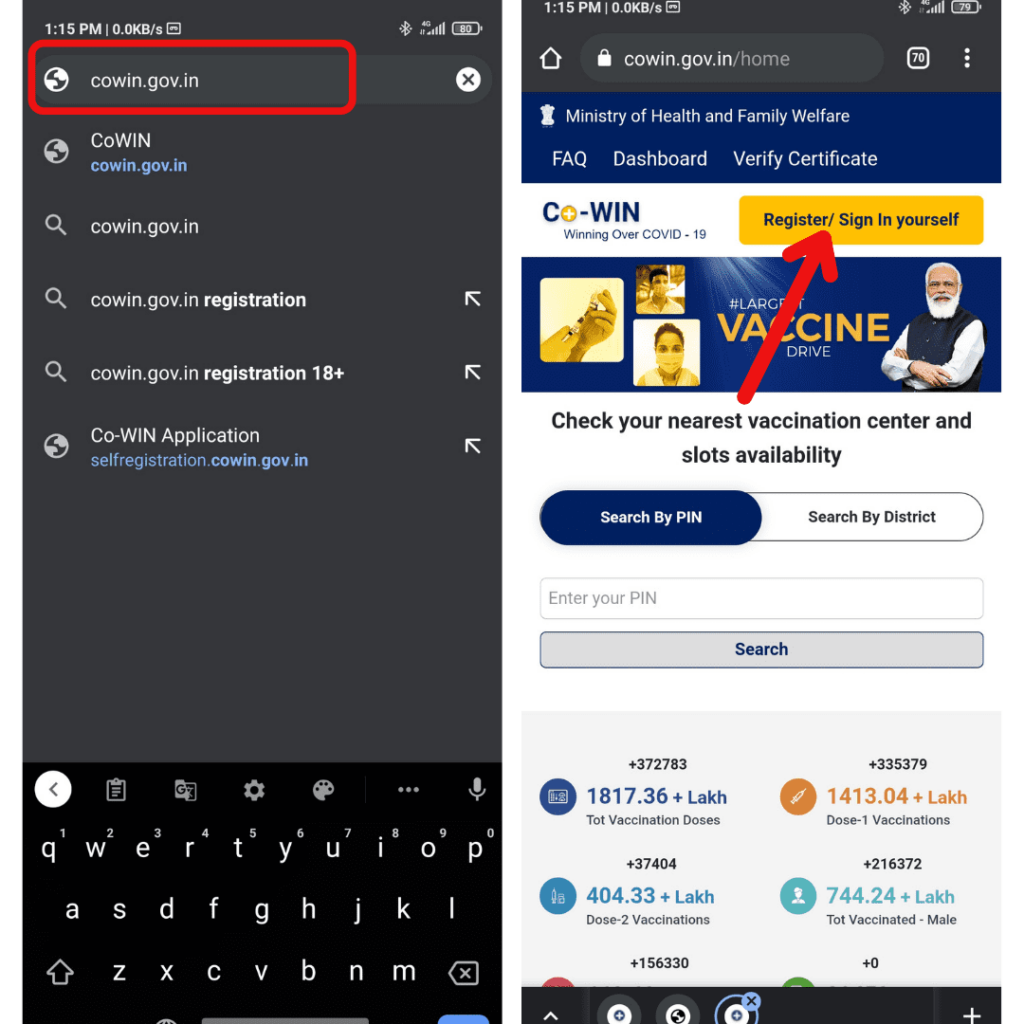
- First, Open a new tab in the web browser on your smartphone OR computer.
- After that, go to “cowin.gov.in.”
- Then, click on the “sign-in / registration” button. See the screenshot for reference.
- After that, you have to enter your registered mobile number to sign in.
- You will get an OTP on your registered mobile number that you have used for your Covid-19 vaccine registration. Simply enter the OTP (also called a one-time password) and click on the VERIFY & PROCESS button. See the screenshot for reference.
- Next, you’ll see the Certificate of your Covid-19 vaccination. Finally, you can download your Covid-19 certificate by clicking on the “Certificate” button (see the screenshot) and you can easily get a soft copy of your VACCINATION CERTIFICATE.
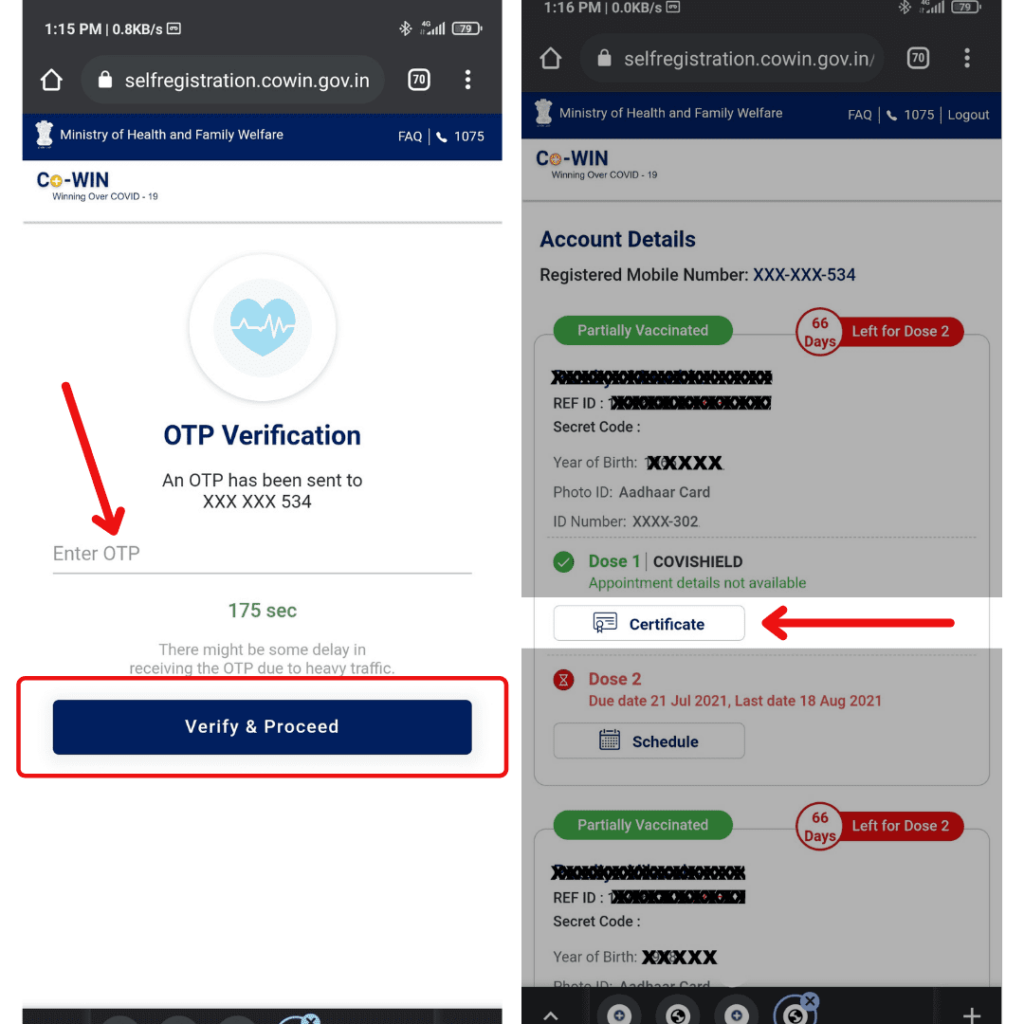
That’s how you can easily download your Covid-19 Vaccination certificate from the Co-Win website.
Download the Covid-19 Vaccination certificate from Co-Win App :
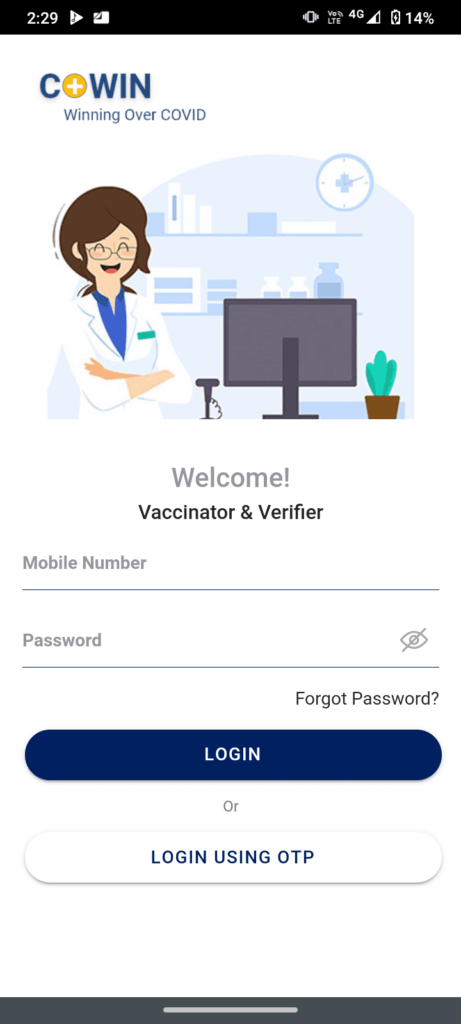
- First of all, Open your Co-Win App (Co-Win Vaccination App).
- Then, Click on Login with OTP.
- After that, Enter your registered mobile number, next you’ll receive OTP on that number. Enter the OTP on the Co-Win app and click on Verify OTP.
- Finally, you can download your Covid-19 Vaccination certificate.
Note: Many users facing an issue for receiving the sign-in OTP in such cases you can download the Covid-19 Vaccination Certificate from the Co-Win’s official website through your Smartphone OR desktop Computer.
That’s how you can easily download your Covid-19 Vaccination certificate from the Co-Win App.
Also check: How to scan a File for Virus Online
I hope this informative post helped you to download the Covid-19 Vaccination certificate. Share this post with your friends and family and more people to help them with the Covid-19 Vaccination certificate Download.
