


Google Meet is the best platform for organizing Online Business Meetings, Online educational Classes for students. But you should know how to create a Google Meet invite link so that you can send a Google Meet invite link and organize your online meeting or online educational classes Successfully.
Let’s see how you can create and send Google Meet invite link step by step on the Desktop computer and Google Meet App and also access Google Meet on Gmail.
Steps to Create Google Meet invite Link :
1. In Desktop Computer/Laptop/Chromebook :
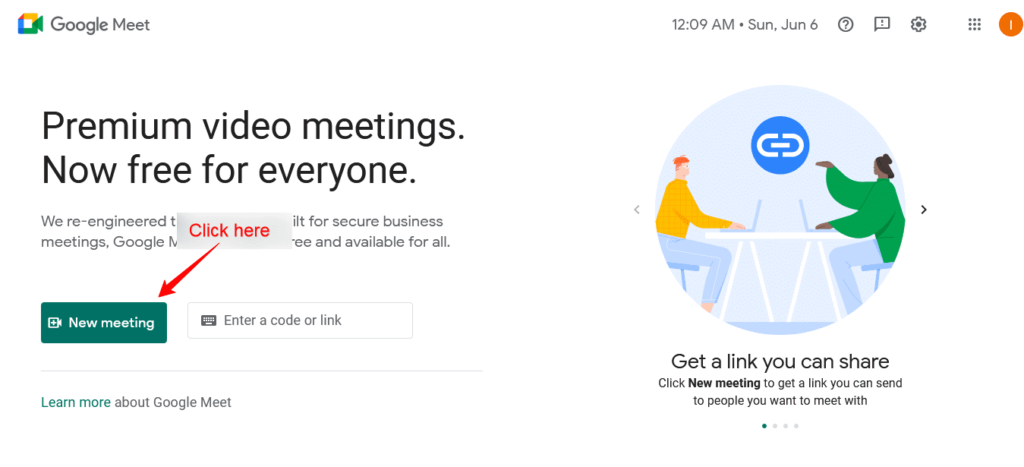
- Open Google Meet Website on your desktop browser. [Recommeded Browsers: Chrome OR Firefox browser] Website: https://meet.google.com.
- After that, you will see the Two options on the Homepage of the Google Meet Website. Simply, Click on the first one, New Meeting. See the screenshot given below for reference

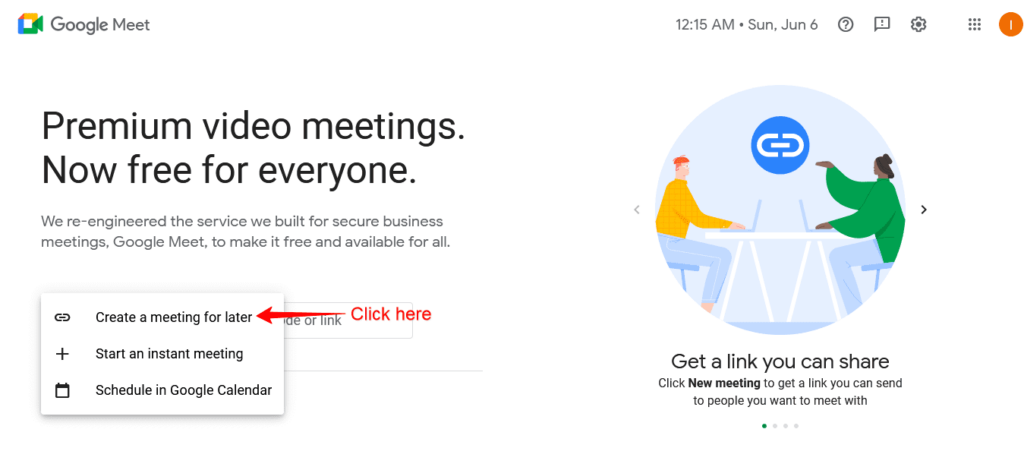
- After clicking New Meeting, You’ll see the three options. Simply, click on the Create a meeting link for later. See the screenshot.
- Then finally, You’ll get the Google Meet Meeting Link. Simply, copy the link and send or share it with your colleagues, or students who will join the Meeting. See the screenshot.
 Then finally, You’ll get the Google Meet Meeting Link. Simply, copy the link and send or share it with your colleagues, or students who will join the Meeting. See the screenshot.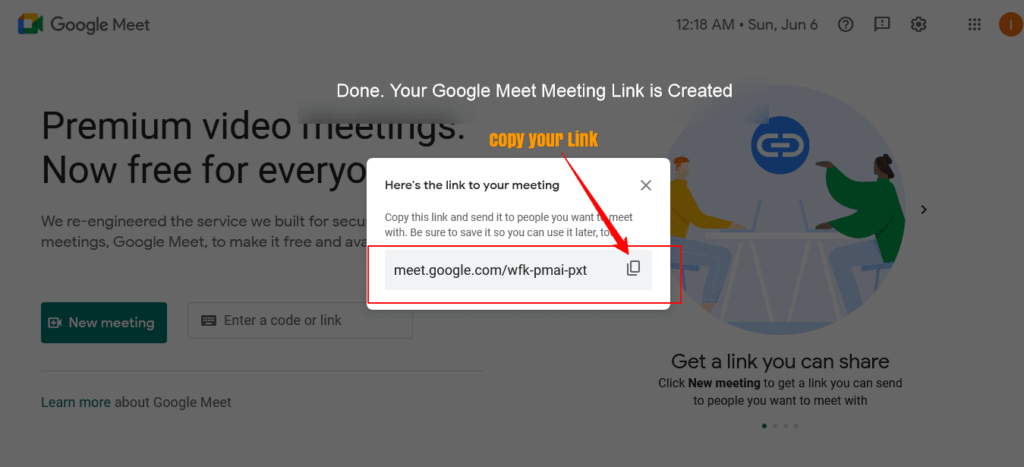
That’s how you can easily create Google Meet invite on a Desktop computer and Laptop.
2. In Google Meet App :
- First of all, Open Google Meet App on your Smartphone.
- After that, you’ll see the similar two options that you have seen on the Google Meet desktop version. Click on the New Meeting Option.
- Then, you will see three options, click on the Create a meeting link to share.
- Copy the generated Google Meet meeting link and share it with your Meeting attendees or members.
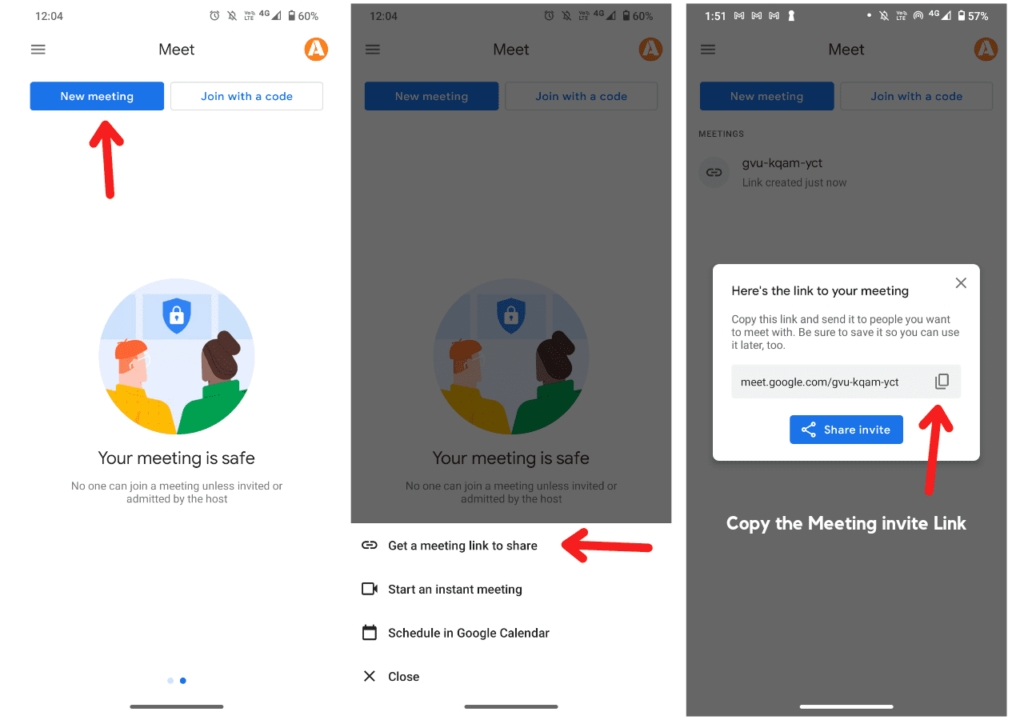
That’s how you can create Google Meet invite link on Google Meet App.
Also check : How to use Google Meet on Phone without App
I hope this informative article helped you to create a Google Meet meeting Link. Share this article with those who need it to guide them on how to organize a successful online meeting and online educational lectures for students.
Ask your queries in comments regarding Google Meet, we are happy to answer your queries. Don’t Like our Facebook page and follow us on Twitter where we share important and meaningful information regularly.
Also check : How to see Twitter trends country and city wise
